How to enable Link as a payment method in Orb
Last updated: September 27, 2024
Orb supports Stripe Link as a recurring payment method. To enable and use Stripe Link in your Orb account, follow these steps:
Enabling Stripe Link
Log in to your Stripe account
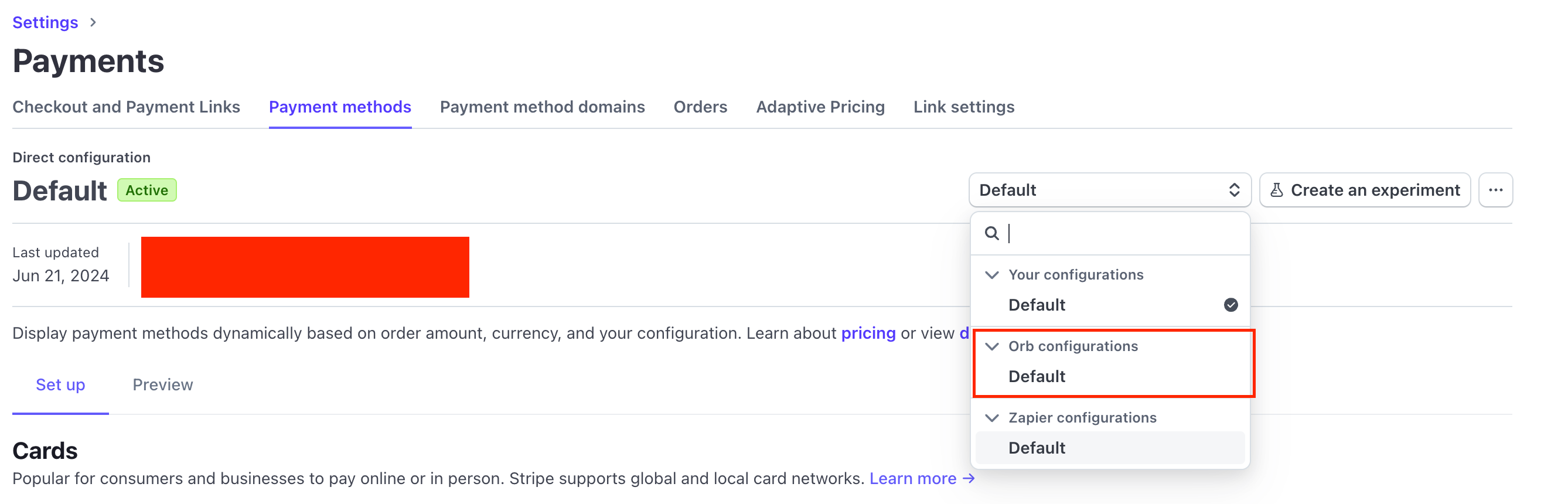
Navigate to the Connected Account settings
Find the Orb payment method configuration
Enable Link for this configuration
Verifying Link in Orb
To verify that Stripe Link is working correctly in Orb:
Go to Orb's test mode
Open the invoice portal for any issued invoice
Click on "Pay Invoice"
In the checkout modal, you should see a "Secure, 1-click checkout with Link" option
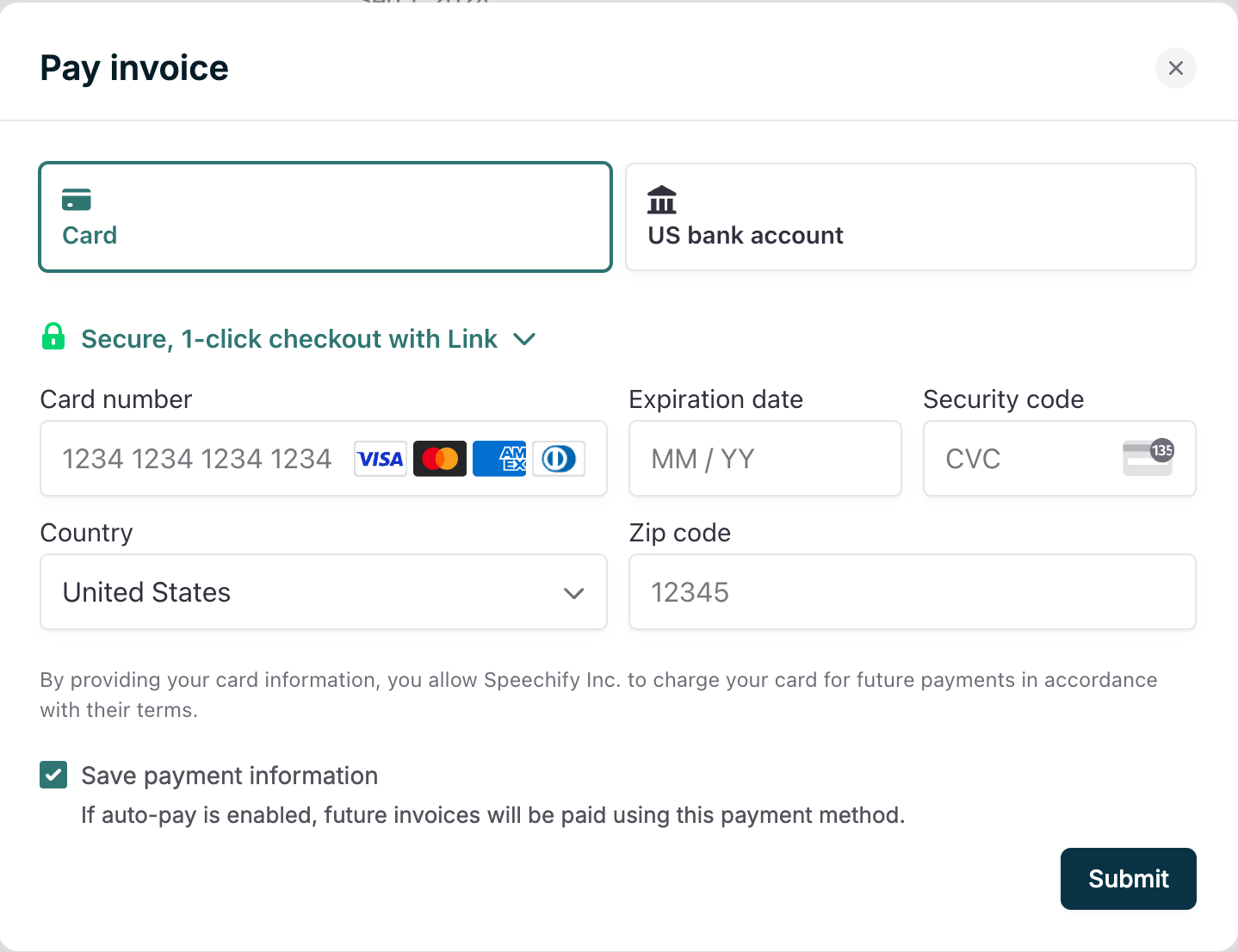
Once enabled, customers can use Stripe Link for a faster checkout experience.