Copying billable metrics between Test and Live Mode
Last updated: September 13, 2024
Our platform allows you to copy billable metrics from test mode to live mode, making it easier to set up and test your pricing structure before implementing it in your production environment.
Steps to copy a billable metric
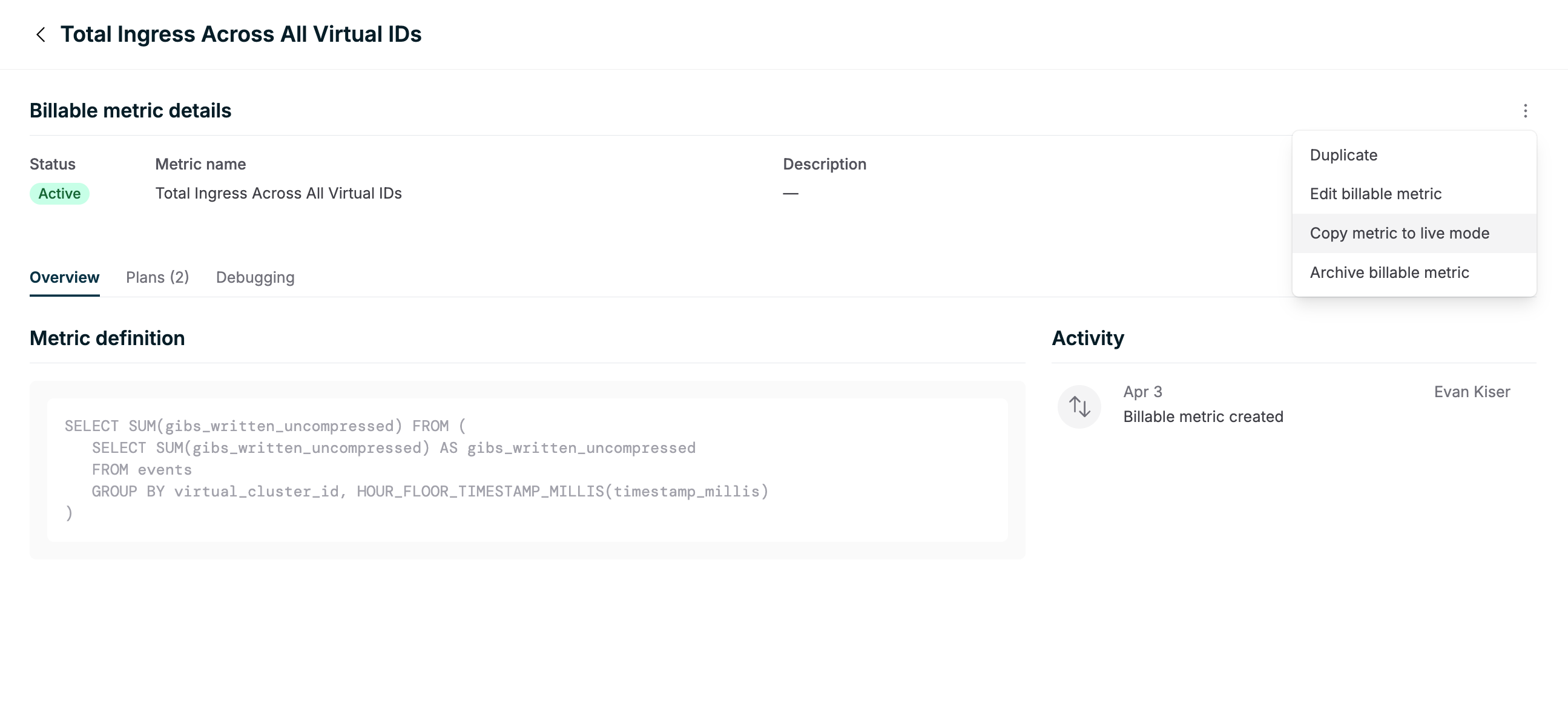
Navigate to the Billable Metrics section in your test mode dashboard.
Locate the specific billable metric you want to copy.
On the right side of the metric details, find the menu options.
Click on "Copy metric to live mode".
Important notes
This feature is currently only available for billable metrics.
Plans and customers cannot be copied between test and live modes.
For plans and customers, consider using "external" IDs that can be referenced via the API to maintain consistency between environments.
Best practices
When setting up your pricing structure:
Create and test your billable metrics in test mode.
Once satisfied, use the "Copy metric to live mode" feature to transfer them to your production environment.
For plans and customers, use consistent external IDs across both test and live modes to simplify your implementation process.
By following these steps, you can ensure a smooth transition from testing to production for your billing setup.