How to add multiple invoice recipients for a customer
Last updated: September 6, 2024
Orb allows you to specify multiple invoice recipients for a customer. One email can be listed as a primary recipient, and multiple CC recipients can be specified. This feature is useful when you need to send invoices to multiple stakeholders within an organization.
Adding Multiple Recipients
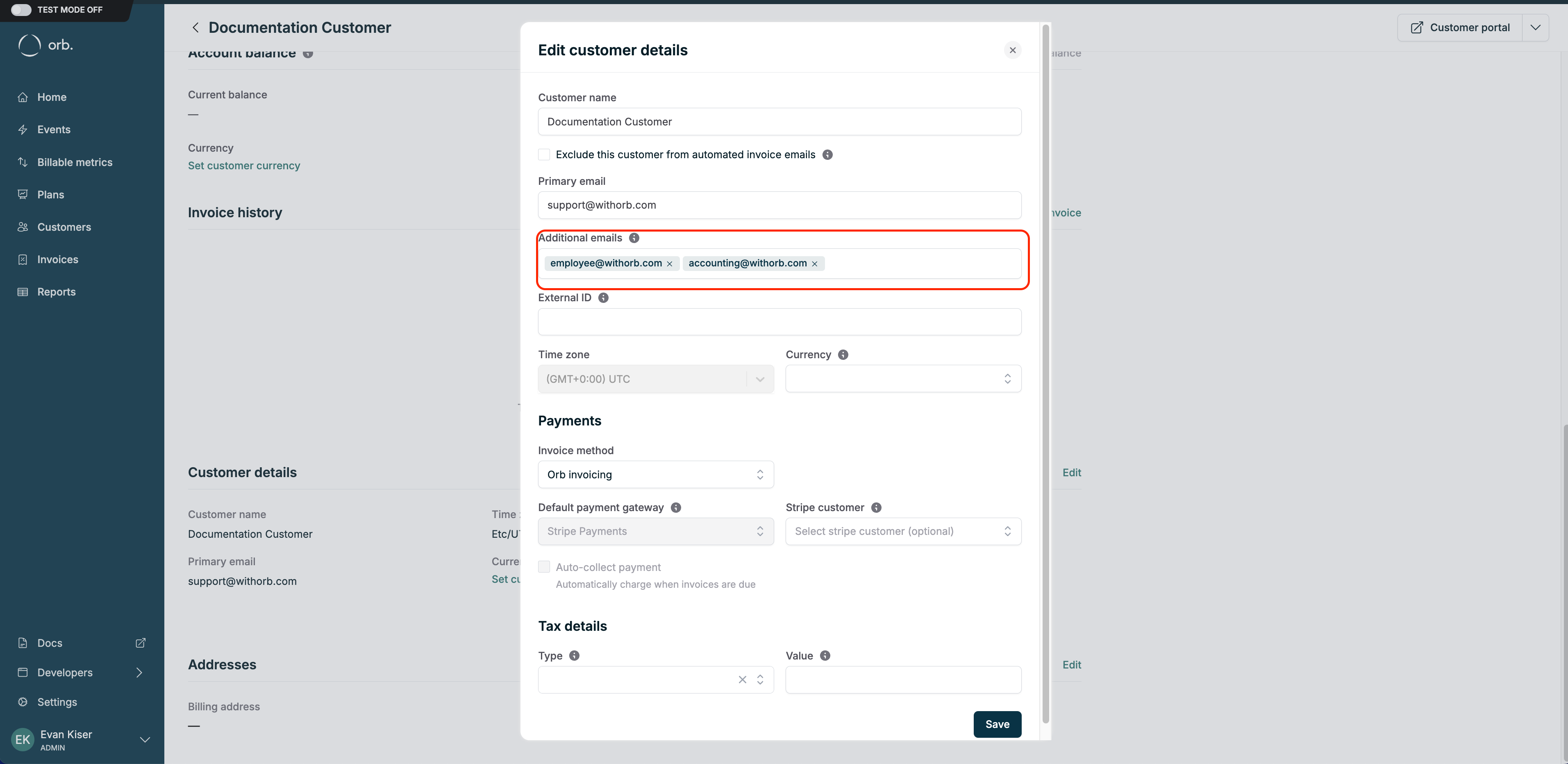
To add multiple invoice recipients:
Navigate to the customer's profile in Orb
Edit the customer's details
Fill in the "Additional emails" section, separating each email by a comma.
Key Takeaways
By following these steps, you can ensure that all necessary parties receive the invoice, streamlining your billing process and improving communication with your customers.