How to Add A Memo To Invoices
Last updated: September 20, 2024
A memo can included on invoices, and a default memo can be specified in the account settings. The new default memo will only be added to new plans and subscriptions. It will not be added to existing subscriptions automatically. To add a memo to existing subscriptions, you can do the following:
Navigate to the subscription customer page.
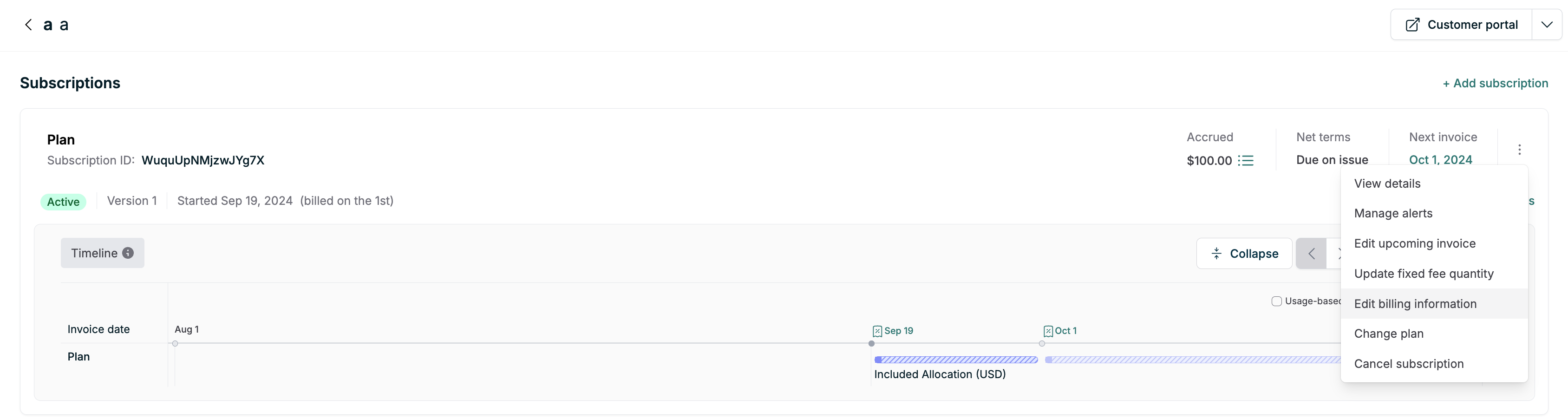
Click on the "Edit billing information" option on the subscription viewer.
In the memo field, enter your ACH banking information.
Save your changes.
Important Notes
The memo you add at the subscription level will be applied to all future invoices for this subscription.
Previously issued invoices will not be updated with the new memo information.
Memos can be added to multiple customers via the API.
Default Memo Setting
The default memo setting (found in Settings > Invoices > Default Memo) is used to auto-populate the memo field when creating new plans and subscriptions. It does not retroactively apply to existing subscriptions or invoices. To ensure the memo appears on invoices for existing subscriptions, use the method described above.