Can I create multiple types of credits?
Last updated: September 13, 2024
Orb enables you to design custom pricing units or credits, allowing customers to prepay for product usage in a flexible and tailored manner. You can create multiple types of credits to support a more nuanced credit-based system. For instance, if you’re a cloud company, you might offer storage credits that are only redeemable for storage usage or compute credits that are exclusive to compute services.
How to create custom pricing units in Orb
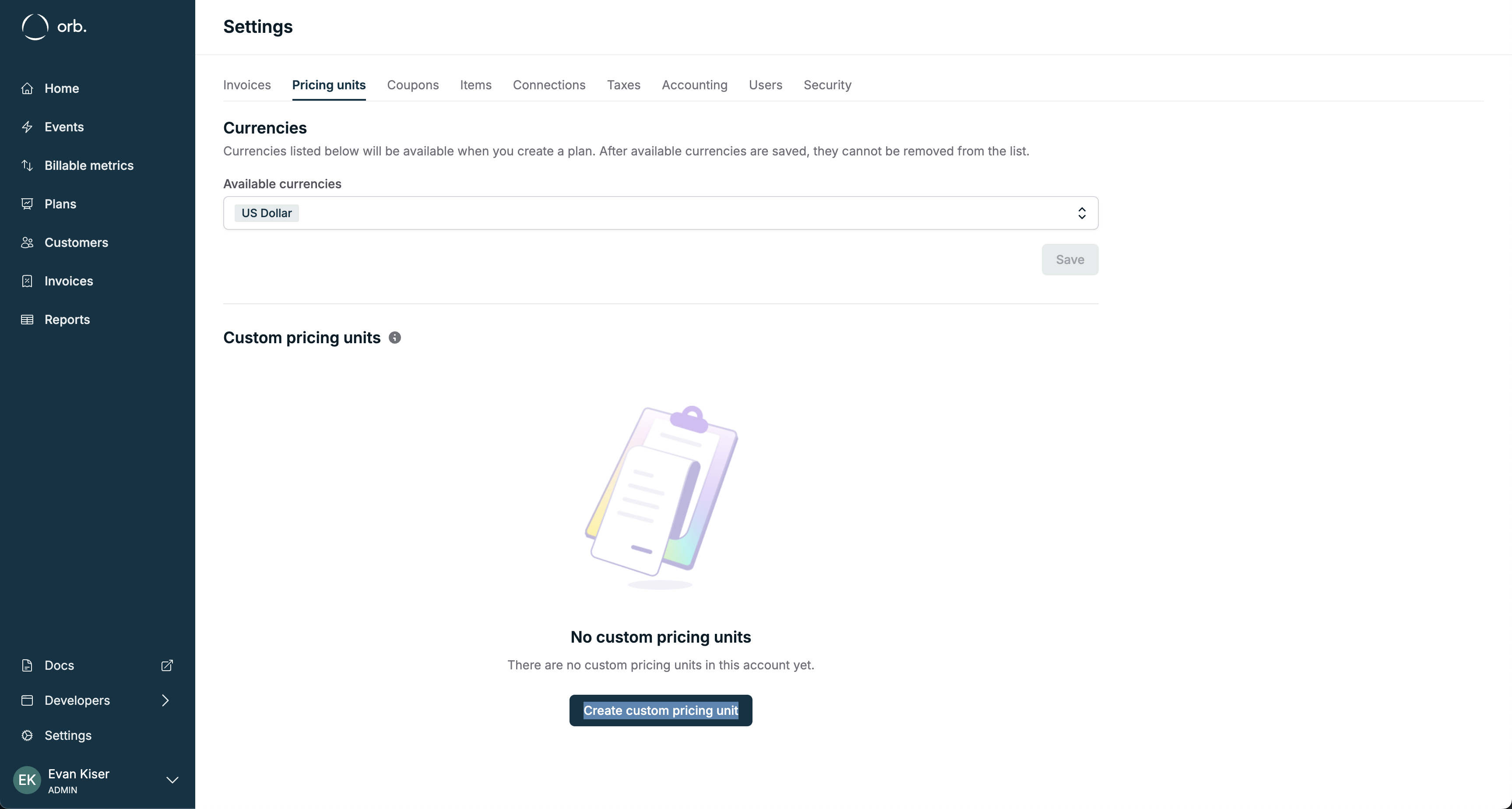
To set up a custom pricing unit, follow these steps:
1. Navigate to Settings > Pricing Units.
2. Click Create Custom Pricing Unit to begin the process.
From this page, you can generate as many custom pricing units as needed to accommodate your product offerings and pricing models.
Accessing and managing credit ledgers
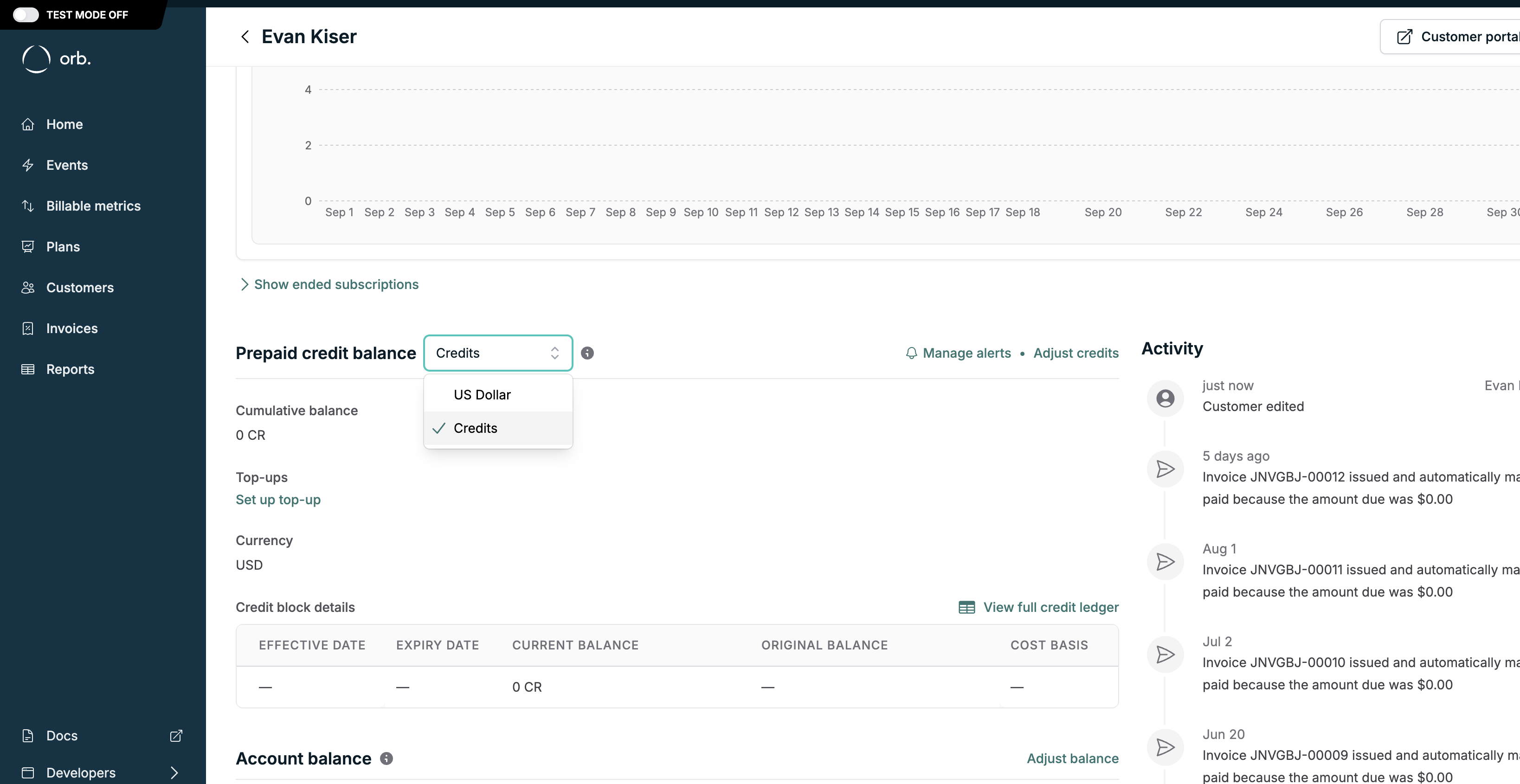
Once a custom pricing unit is created, each customer in Orb will automatically receive a credit ledger for that specific unit. The credit ledger, which tracks the balance and usage of credits, can be accessed directly from the customer’s profile page. Simply select the appropriate credit type from the Credit Ledger dropdown.
Key takeaways
• Flexibility: Orb allows you to create a variety of credit types, enabling customized billing strategies that suit different product offerings.
• Customer Ledgers: When you introduce a new custom pricing unit, Orb automatically creates a corresponding credit ledger for each customer, ensuring accurate tracking and usage of credits.
For more detailed instructions, visit our documentation on custom pricing units.